
Showing items from Language Engineering

Xtext vs ANTLR vs Parser Combinators

So you have decided that you need a parser, a real one. Now you need to decide what to use to implement that parser. There are several choices:

Each choice has advantages and disadvantages that I will discuss in this post.

Create your own parser manually

It your main interest is to have an extremely fast and flexible parser, this is the way to go. Manual parser are mostly used for programming languages or in places where every bit of performance is needed. However, creating your own parser is a tedious, slow and repetitive process.

Continue Reading

Xtext Tip: Embrace Model-Driven Development

Xtext has a strong foundation in Model-Driven Development. Most people who start working with it do not realize that from the beginning and then find themselves in troubles because of that.

If you are using Xtext, it is worth learning:

  • what a metamodel is
  • The tooling around modeling in Eclipse, this is:
    • MWE2
    • EMF (Eclipse Modeling Framework)
  • At least the basics of Model Driven Engineering/Development

Knowing this will allow you to use Xtext in the way it was intended and work around its limitations.

Continue Reading

From Java to Javascript

In this article I want to share my experiences trying to get started with language engineering on the web while coming from Java. Although I was trying to do language engineering, I think this article can be useful to any programmer who wants to enter the world of Javascript and the Web platform.

From the JVM to the Web

I think the main problem that I had approaching the web was not considering it as a platform on the same level of the JVM. I thought of it like just adding some Javascript to a web page to have the UI for my powerful backend. However, the web has gone a long way from the simple scripts people were doing 20 years ago. It is now a platform in its own right and it needs a lot of tooling to make the amazing things it does.

Continue Reading

Xtext Tip: Adding importURI support

In a previous post I showed how to use the import namespace feature of Xtext. This feature helps to easily implement java like imports. However, Xtext also supports imports more in a C-like style, i.e. imports where a whole file imported, and its definitions made available to the current file.

For example, in our block language, it should be possible to import the name space from another Block and then use in our alias. We can for example define Block3 in file Block3.block

Continue Reading

LSP and Xtext Tutorial: Creating the VS Code Client

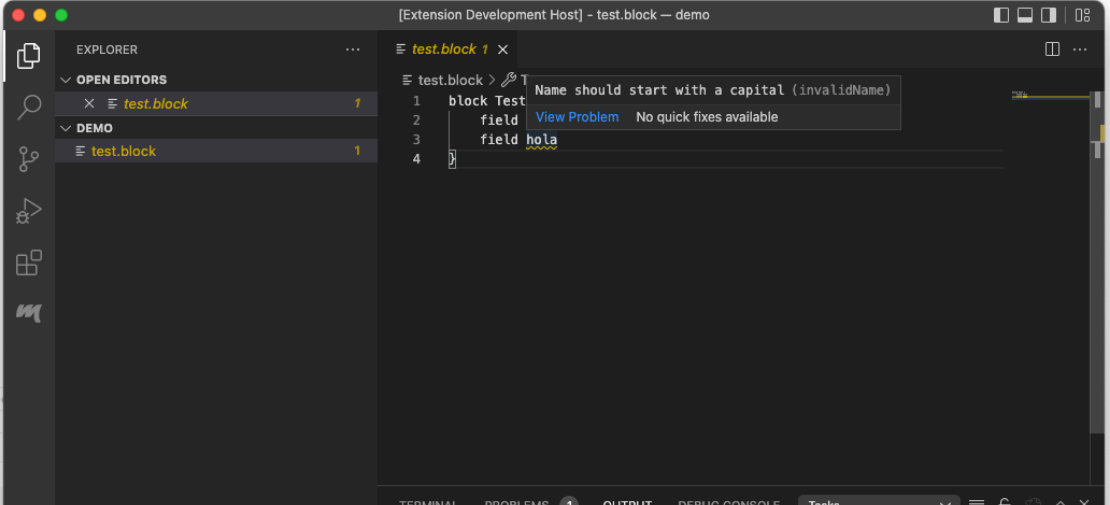
This post is a continuation of my LSP and Xtext Tutorial. In my latest post I created a language in Xtext to be used with a client. In this post I am going to create VS Code plugin to connect to the language server created in the previous post. The full code for this example can be found here.

The VS Code Plugin

VS Code plugins are created using yeoman. Yeoman is a scaffolding tool, it creates the necessary files to start your project. For our VS Code plugin, we can use it to generate most of the plugin and then we proceed to customize it for our language. For those coming from the Eclipse world, yeoman is a wizard that we can launch from the command line. The installation of yeoman is outside of the scope of this tutorial.

Continue Reading