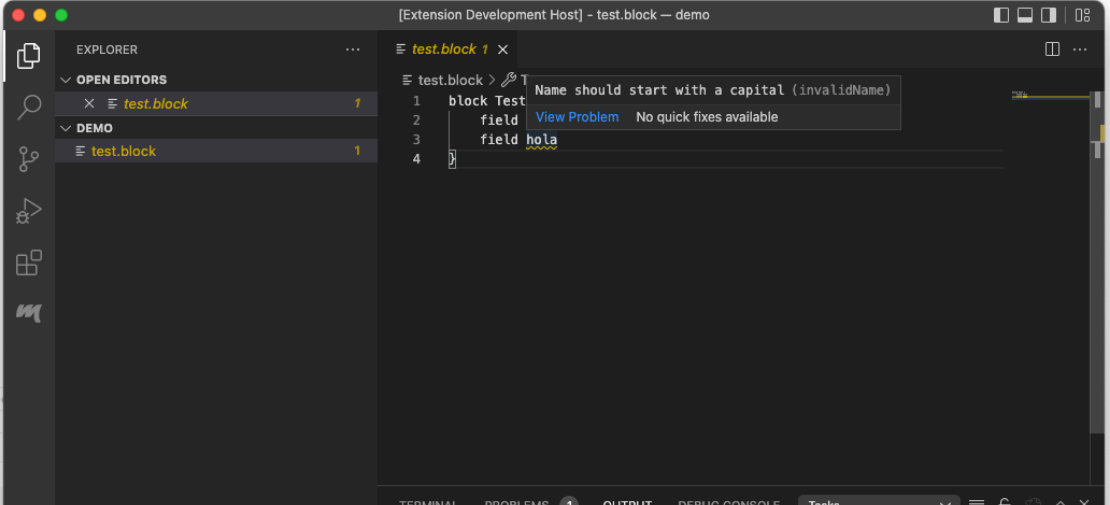
LSP and Xtext Tutorial: Creating the VS Code Client

This post is a continuation of my LSP and Xtext Tutorial. In my latest post I created a language in Xtext to be used with a client. In this post I am going to create VS Code plugin to connect to the language server created in the previous post. The full code for this example can be found here.

The VS Code Plugin

VS Code plugins are created using yeoman. Yeoman is a scaffolding tool, it creates the necessary files to start your project. For our VS Code plugin, we can use it to generate most of the plugin and then we proceed to customize it for our language. For those coming from the Eclipse world, yeoman is a wizard that we can launch from the command line. The installation of yeoman is outside of the scope of this tutorial.

Continue Reading

LSP and Xtext Tutorial: Creating the language

This post is a continuation of my LSP and Xtext Tutorial. In this post I present how to create the language to have all the necessary configurations to work. The full code for this example can be found here.

Create the project

The project is created as a standard Xtext project. The first part of the wizard is configured as usual. We use as an example the block project the I have used in a previous tip. Below is the first dialog for the wizard.

Continue Reading

LSP and Xtext Tutorial: Introduction

The Language Server Protocol (LSP), created by Microsoft, is one of the latest and greatest tools in the toolset of language engineers. As such, the maintainers of Xtext have implemented support for it. Since LSP is just a protocol, there are several ways to use it and also to consume it. One can for example, create an LSP server to be consumed by connecting to a standard TCP socket using a port and an address. One can also connect directly using standard input and output. On the other hand, there are several possible clients: one can use Eclipse, VS Code, or Theia. Each one can also use different ways to connect to the server.

Continue Reading

Xtext Tip: Add custom code to your generated model

If you are into EMF modeling, you know that you can define custom operations and fields in EMF models. Xtext allows to make use of this feature in an elegant way. Let us start with the block language with a separate EMF metamodel from a previous tip. The full code for this example can be found here.

Prepare the model

We want to include a new computed field that returns the number of fields in our Block class. We call this attribute numberOfFields. We create an attribute with that name, and set the attributes as follows:

Continue Reading

Xtext Tip: Some reasons to use a separated EMF model

In a previous tip I showed how to migrate from a generated EMF model to a manually maintained one. Turning something automatic to manual sounds completely counter intuitive. We should automate more, not the contrary. However, there are some good reasons to do this. Let’s explore them:

Separation of concerns

I see the grammar is a presentation artifact. It represents the allowed inputs. However, the easiest way to input something is not always the best way to represent it for its intended purpose. The typical example, is the graph and the matrix. A matrix can perfectly represent a weighted graph. For certain computations it might be the optimal solution, but for others, a graphical representation of the graph is much better.

Continue Reading